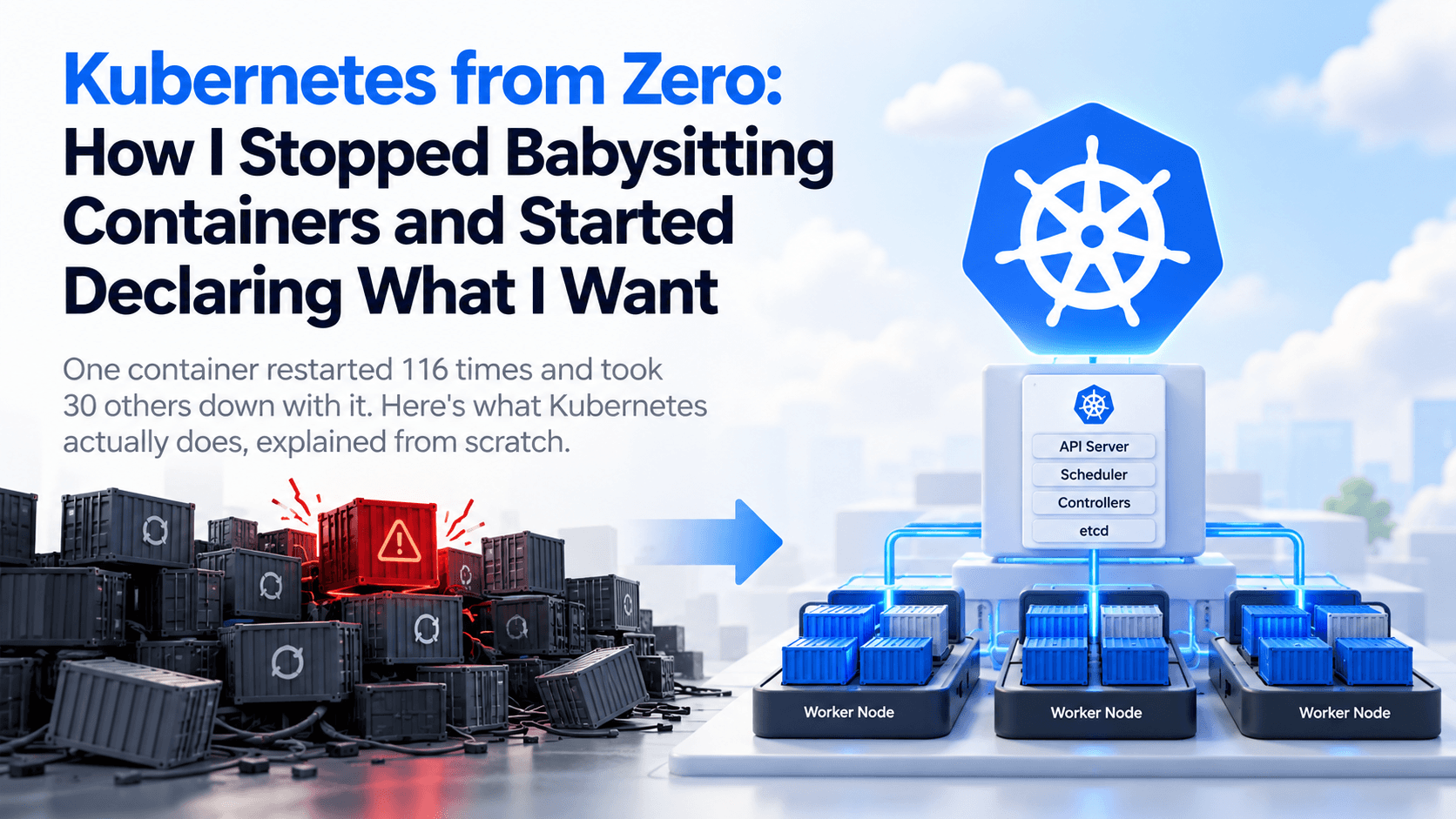
116 restarts in 24 hours.
One container on a staging server kept crashing and coming back. There were no memory limits. No swap.
Over those 24 hours it ate 7.6 GB of RAM, and the Docker daemon froze. All 31 containers on the box went down with it.
The cloud console? Still green. "Healthy." The health check was testing the network, not the application.
The root cause was one tiny default I'll write about another day. But the real lesson was bigger:
Running containers by hand means you are the orchestrator. You restart them. You watch their memory. You decide where they run. And when you're asleep, nobody does.
That's the job Kubernetes takes off your plate.
This is the guide I wish I'd had. From zero, in plain English, with the parts most cheat sheets get wrong.
The Problem with Running Containers by Hand
Docker made it easy to package an app and run it anywhere. One container? Easy.
Ten containers across three servers? Now you have questions:
- Which server has room for the next one?
- Who restarts a container that crashes at 3 AM?
- How do other services find it when its IP changes?
- How do you ship version 2 without downtime?
- How do you roll back when version 2 is broken?
You can answer all of these with scripts. I did. That's how one script ended up restarting a container we'd stopped on purpose.
Kubernetes answers them with one idea.
What Kubernetes Actually Is
Kubernetes (K8s for short) is an open-source container orchestrator. It runs your containers across a group of machines and keeps them running.
Google open-sourced it in 2014, based on lessons from its internal system, Borg. It's now maintained by the Cloud Native Computing Foundation (CNCF).
And it won. In CNCF's 2025 survey, 82% of container users run Kubernetes in production.
Here's the one idea that makes it different:
You don't tell Kubernetes what to do. You tell it what you want.
You:        "I want 3 copies of my web app running."
Kubernetes: checks, sees 2, starts 1 more.
Later:      a server dies, taking 1 copy with it.
Kubernetes: checks, sees 2, starts 1 more. Again.
This is called the desired state model. You write down what you want in a YAML file. Kubernetes runs a loop, forever:
- Read the desired state
- Look at the actual state
- Fix the difference
Deployment stops being a command you run once. It becomes a promise Kubernetes keeps.
The Architecture: One Brain, Many Hands
A Kubernetes cluster is a group of machines split into two roles.
                 You (kubectl)
                      │
                      ▼
        ┌────────────────────────────┐
        │       Control Plane        │
        │  API Server · etcd         │
        │  Scheduler · Controllers   │
        └─────────────┬──────────────┘
          ┌───────────┼───────────┐
          ▼           ▼           ▼
     ┌─────────┐ ┌─────────┐ ┌─────────┐
     │ Worker  │ │ Worker  │ │ Worker  │
     │  Node   │ │  Node   │ │  Node   │
     │ Pod Pod │ │ Pod Pod │ │ Pod Pod │
     └─────────┘ └─────────┘ └─────────┘
The control plane is the brain. It makes decisions but doesn't run your app.
- API Server: the front door. Every request, from you or from inside the cluster, goes through it.
- etcd: a key-value database holding the whole cluster's state. Lose it without a backup and you lose the cluster's memory.
- Scheduler: picks which node each new Pod should run on, based on free CPU and memory.
- Controller Manager: runs the loops that compare desired state with actual state and fix the gap.
Worker nodes are the hands. They run your containers.
- kubelet: an agent on every node. It takes orders from the API Server and makes sure the right containers are running.
- kube-proxy: sets up the network rules so traffic reaches the right Pods.
- Container runtime: the software that actually runs containers, usually containerd or CRI-O.
Older notes say "Docker" here. That changed. Kubernetes removed its built-in Docker Engine support (dockershim) in v1.24, back in 2022. Your images built with Docker still run fine. They're standard OCI images, and containerd runs them.
You'll also see "master" and "minion" in old tutorials. Today it's control plane and worker node.
Pods: The Smallest Thing You Deploy
Kubernetes doesn't run containers directly. It runs Pods.
A Pod wraps one or more containers that always live together:
- They're scheduled on the same node.
- They share one IP address and can talk over
localhost. - They can share storage volumes.
Most Pods hold a single container. Multi-container Pods are for tight pairs, like an app plus a log-shipping sidecar.
The Pod lifecycle
A Pod's phase is always one of five values:
| Phase | What it means |
|---|---|
| Pending | Accepted, but containers aren't running yet (scheduling, pulling images) |
| Running | Bound to a node, at least one container is running |
| Succeeded | All containers finished successfully and won't restart |
| Failed | All containers stopped and at least one failed |
| Unknown | Kubernetes can't reach the node to check |
Words like ContainerCreating, CrashLoopBackOff and Terminating show up in kubectl get pods.
They're useful, but they're not phases. They describe container states or a Pod being deleted.
Here's the part almost every beginner gets wrong:
A Pod is never moved. It's replaced.
A Pod is scheduled exactly once in its life. If a container inside it crashes, the kubelet restarts that container in the same Pod. If the Pod itself dies, or its node dies, it's gone. A controller creates a new Pod, with a new name and a new IP.
That's why you never hardcode a Pod's IP address. We'll fix that with Services.
Deployments: Say How Many, Not How
You almost never create Pods by hand. You create a Deployment.
Deployment   →  "run 3 copies of web:v2, roll out safely"
    │
    ▼
ReplicaSet   →  "keep exactly 3 Pods alive"
    │
    ▼
Pods         →  the actual running containers
- The ReplicaSet keeps the count right. A Pod dies, it creates another.
- The Deployment manages ReplicaSets, which gives you rolling updates and rollbacks.
Here's a complete Deployment:
apiVersion: apps/v1
kind: Deployment
metadata:
  name: web
spec:
  replicas: 3
  selector:
    matchLabels:
      app: web
  template:
    metadata:
      labels:
        app: web
    spec:
      containers:
        - name: web
          image: nginx:1.27
          ports:
            - containerPort: 80
Apply it with kubectl apply -f deployment.yaml and Kubernetes takes it from there.
Rolling updates and rollbacks
Change the image to nginx:1.28 and apply again.
Kubernetes creates a new ReplicaSet and shifts Pods over gradually: new ones start, old ones stop, a few at a time.
Your app stays up the whole time.
If v2 is broken:
kubectl rollout undo deployment/web
You're back on the previous version.
Deployments support two strategies out of the box:
- RollingUpdate (the default): replace Pods gradually, no downtime.
- Recreate: stop all old Pods, then start new ones. Brief downtime, but versions never overlap.
Blue/green and canary releases are not built-in strategies. You build them with two Deployments and a Service switch, or a tool like Argo Rollouts.
Services: A Stable Address for Moving Targets
Pods come and go. Their IPs change every time. So how does your frontend find your backend?
A Service gives a group of Pods one stable IP and DNS name, and load-balances traffic across them. It finds its Pods by label, not by IP.
apiVersion: v1
kind: Service
metadata:
  name: web
spec:
  selector:
    app: web
  ports:
    - port: 80
      targetPort: 80
Any Pod in the cluster can now call http://web and reach a healthy copy.
| Type | Reachable from | Use it for |
|---|---|---|
| ClusterIP | Inside the cluster only | Service-to-service traffic (the default) |
| NodePort | <node-ip>:30000–32767 |
Quick testing, simple setups |
| LoadBalancer | The internet | Exposing one service via your cloud's load balancer |
| ExternalName | Inside the cluster | Giving an outside domain an in-cluster name |
ConfigMaps and Secrets: Config Out of the Image
Never bake config into your container image. Inject it.
- ConfigMap: non-sensitive settings. URLs, feature flags, log levels.
- Secret: sensitive values. Passwords, API keys, TLS certificates.
Both can be injected as environment variables or mounted as files.
Now the uncomfortable truth about Secrets.
Secret values are base64-encoded. That's encoding, not encryption. Anyone can decode it in one command.
And from the official docs: Secrets are, by default, stored unencrypted in etcd. Anyone who can create a Pod in a namespace can read every Secret in that namespace.
So a Secret is only a little safer than a ConfigMap, mainly because you can lock it down separately. To make it actually safe:
- Turn on encryption at rest for Secrets.
- Use RBAC so only the right people and apps can read them.
- For production, consider an external store like AWS Secrets Manager or Vault.
Storage: Volumes, PVs and PVCs
Containers are disposable. When one is replaced, anything it wrote to its own filesystem is gone. Volumes give data a life outside the container.
| Volume type | What it does |
|---|---|
emptyDir |
Scratch space. Deleted when the Pod is deleted. |
hostPath |
Mounts a folder from the node. Use with caution. |
configMap / secret |
Mounts config as files |
persistentVolumeClaim |
Real, persistent storage |
Persistent storage has three pieces:
- PersistentVolume (PV): an actual chunk of storage, like a cloud disk.
- PersistentVolumeClaim (PVC): a request: "I need 10 GB of fast storage."
- StorageClass: a "type" of storage (
fast-ssd,standard) that creates PVs automatically when a PVC asks.
Pod → PVC ("I need 10 GB") → StorageClass creates a PV → PVC binds to PV → Pod uses it
In production, let the StorageClass create volumes for you. Creating PVs by hand doesn't scale.
Namespaces and Ingress
Namespaces
A namespace splits one cluster into named sections: dev, staging, or one per team.
Names only have to be unique inside a namespace, and you can apply permissions and quotas per namespace.
But here's the myth: namespaces do not isolate network traffic.
By default, every Pod can reach every other Pod in the cluster, in any namespace.
A Pod in dev can call a Service in prod at my-service.prod.svc.cluster.local.
To actually block that, you need a NetworkPolicy (start with default-deny per namespace) and a network plugin that enforces it, like Calico or Cilium.
Ingress, and what replaces it
A Service of type LoadBalancer gives you one cloud load balancer per service. That gets expensive fast.
Ingress puts one entry point in front of many services and routes by host or path (Layer 7):
app.example.com/api  →  api-service
app.example.com/web  →  web-service
admin.example.com    →  admin-service
An Ingress resource is just rules. You need an Ingress controller to run them.
Two things changed recently that most notes miss:
- The popular ingress-nginx controller was retired in March 2026. No more releases or security patches.
- The Ingress API still works, but it's feature-frozen. The Kubernetes project points new work to its successor, the Gateway API.
Learn Ingress, because you'll meet it in every existing cluster. But build new things on Gateway API.
Requests, Limits and Probes: The Settings That Would Have Saved My Staging Server
Remember the 116 restarts? This is the section that maps straight onto it.
Requests and limits
resources:
  requests:
    cpu: 100m
    memory: 128Mi
  limits:
    memory: 256Mi
- Requests are what the container is guaranteed. The scheduler uses them to pick a node with room.
- Limits are the ceiling.
- Go over the CPU limit and the container is slowed down (throttled).
- Go over the memory limit and the container is killed (
OOMKilled) and restarted.
My crashing container had no limit, so it ate the whole machine. With a 256 MB limit, it would have been killed at 256 MB, every time, while the other 30 containers kept their memory.
Probes
| Probe | Question it asks | If it fails |
|---|---|---|
| Liveness | "Is the app stuck?" | Container is restarted |
| Readiness | "Can it take traffic right now?" | Pod is removed from the Service |
| Startup | "Has a slow app finished booting?" | Other probes wait until it passes |
My cloud health check said "healthy" for 24 hours because it only checked that the machine answered on the network. A readiness probe hits your actual app endpoint. If the app is broken, traffic stops going to it.
Kubernetes wouldn't have fixed my root cause. It would have contained it: one container failing inside its own budget, instead of one container taking down 31.
What Most Kubernetes Cheat Sheets Get Wrong
While writing this, I worked from a popular set of handwritten-style Kubernetes notes. They're clear and well drawn. They also repeat some outdated ideas you'll find everywhere:
| What the notes say | What's actually true |
|---|---|
| "A Pod in namespace 1 can't reach namespace 2" | Pods can reach each other across namespaces by default. Use NetworkPolicy. |
| "Secrets are more secure than ConfigMaps" | Only slightly. They're base64 and unencrypted in etcd by default. |
| "A Pod may restart and go back to Pending" | Containers restart. Pods are never rescheduled, only replaced. |
| "Container runtime: containerd / Docker" | Docker Engine support was removed in v1.24. Docker-built images still work. |
| "Blue/Green is a Deployment strategy" | Built-in strategies are RollingUpdate and Recreate only. |
None of this makes notes useless. It just means: check the claim against kubernetes.io before you build on it.
The kubectl Commands You'll Use Every Day
kubectl get pods                          # list Pods
kubectl get pods -A                       # ...in every namespace
kubectl describe pod <name>               # events, the first place to look when something breaks
kubectl logs <pod> -f                     # stream logs
kubectl exec -it <pod> -- sh              # open a shell inside a container
kubectl apply -f app.yaml                 # create or update from a file
kubectl scale deployment web --replicas=5 # change the replica count
kubectl rollout status deployment/web     # watch a rollout
kubectl rollout undo deployment/web       # roll back
kubectl get svc,ingress                   # see how traffic gets in
When something is broken, the order is almost always: get → describe → logs.
Do You Actually Need Kubernetes?
Now the honest part.
I tell most teams they don't need Kubernetes yet.
Kubernetes is powerful because it handles a lot. That also means you have a lot to run: the cluster, upgrades every few months, networking, storage, security.
My own client's 9 microservices run on AWS ECS Fargate, not Kubernetes. That was a deliberate choice.
Kubernetes earns its cost when you have:
- Many services and several teams deploying independently
- A need to run the same platform across clouds or on-premises
- A platform team (even a small one) to own the cluster
If you have three services and two developers, a managed container service or a single well-run VPS will get you further, faster.
But learn Kubernetes anyway. The ideas (desired state, reconciliation, self-healing) show up everywhere in modern infrastructure. Even in the tools that compete with it.
Key Takeaways
- Kubernetes runs on desired state. You declare what you want; it keeps fixing the difference.
- The control plane decides. Worker nodes run your Pods.
- A Pod is never moved, only replaced. Use Services for stable addresses.
- Deployments give you scaling, rolling updates and one-command rollbacks.
- Secrets are not encrypted by default. Namespaces are not a firewall.
- Always set memory limits and probes. They turn one bad container into a contained problem.
- For new routing, look at Gateway API. ingress-nginx is retired.
Final Thoughts
The biggest shift isn't learning a new tool.
It's going from "I run these containers" to "I describe what should be running."
Once you stop being the orchestrator, you stop being the one who gets paged when a container needs a restart at 3 AM.